Picture this: It's 7 a.m., and you're rushing through the school run with your kids in tow. Your fitness tracker? Forgotten on the nightstand, battery dead again. But then you glance at your phone—it's been buzzing in your pocket the whole time, quietly counting every step from the kitchen chaos to the playground hustle.
That's how it started for me last year. No extra gear, no excuses. Just my everyday phone turning those frantic mornings into a sneaky way to hit 7,000 steps before lunch. And here's the best part: phones make tracking steps feel effortless because they're always with you—through work emails, grocery hauls, or evening walks with the dog.
The benefits stack up fast. You get gentle nudges toward more movement without overwhelming your schedule. It's free, accurate enough for real life, and builds that quiet habit of consistency many of us crave amid busy days. Perfect for parents, desk workers, or anyone tired of gadgets gathering dust.
Many folks tell me they love how it fits right into family routines or low-energy evenings. No need for fancy watches—just open an app and see your progress. Ready to make your phone your step buddy? Let's dive in together.
Stick with this, and you'll notice small wins like feeling lighter after dinner or sleeping better. It's that simple shift toward everyday movement.
Why Your Phone Is the Easiest Step Companion You've Already Got
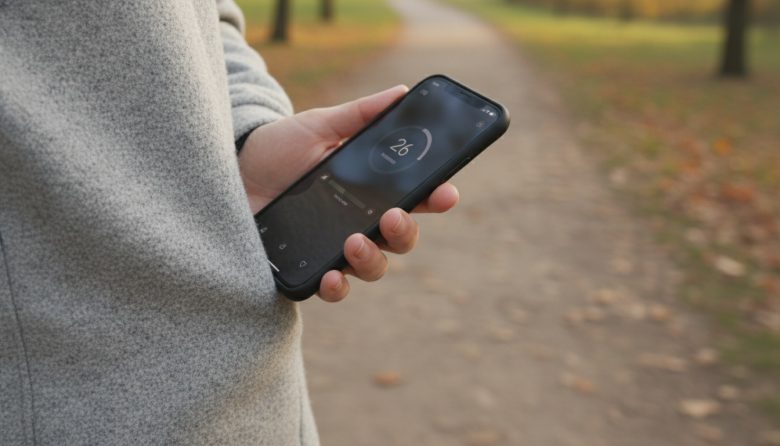
Your phone isn't just for scrolls and calls—it's a pocket-sized step counter waiting to shine. Apps like Apple Health or Google Fit use the built-in sensors to track accurately, no extra hardware needed. Portability means it's always on, catching steps during coffee runs or pacing calls.
Think about your day: work meetings, kid pickups, meal prep. This slips right in without adding bulk. Many of us have busy lives—work calls blending into family dinners—and this keeps motivation gentle, not pushy.
Free updates mean better accuracy over time, plus fun streaks to celebrate. It's okay if tech feels fiddly at first; you're not alone. Pair it with habits like checking steps during your Morning Hydration and Stretch Routine Starter, and movement becomes second nature.
No subscriptions or charging woes like wearables. Just consistent, real-life tracking that builds confidence one step at a time.
If This Sounds Like You
You're juggling work deadlines and family dinners, squeezing in movement where you can.
Low-energy evenings leave gadgets charging and forgotten across the room.
You want simple ways to move more without lugging extra stuff on walks or errands.
Consistency feels tough amid the daily chaos, but you're ready for a no-fuss win.
If any of that rings true, this phone-tracking approach is for you. Many people just like us start here and stick with it.
Try This First: Wake Up Your Phone's Hidden Pedometer
Let's get you set up in under five minutes—no downloads required for most phones. For iPhone users, open the Health app (it's pre-installed). Tap "Browse," then "Activity," and toggle "Step Tracking" if it's off. Your phone's been logging steps in the background already.
View your data under "Show All Data" for a daily graph. It's okay if numbers seem low at first; accuracy improves with motion. Pro tip: Carry it in your pocket or bag for best results.
Android folks, grab Google Fit from the Play Store if needed (free). Open it, sign in, and let it access sensors. Hit "Goals" to see steps ticking up live—simple as that.
Trouble? Restart your phone or check permissions in settings. Many tweak brightness down during tracking to save battery. Now you're rolling—what's your first step count look like?
This quick start turns "maybe tomorrow" into "today's win." Build from here with daily check-ins.
5 Steps to Make Daily Tracking a Breeze
-
Morning Reset: Check Yesterday's Steps Over Coffee
Grab your mug and open the app first thing. Note what worked—like extra evening laps—and smile at progress. This sets a positive tone without pressure.
-
Set a Gentle Daily Goal Tied to Your Life
Aim for 6,000-8,000 steps, not 10k if that's overwhelming. Link it to your routine, like steps during school drop-offs. Adjust as you go—it's your tracker.
-
Midday Nudge: Phone Reminder During Lunch Walk
Set a soft alert for noon: "Time for 500 steps?" Step around the block or pace your office. Ties perfectly into breaks, boosting energy for afternoons.
-
Evening Reflect: Note Wins in a Quick Voice Memo
Before bed, say aloud: "Hit 7,200 today—loved that park walk." Play back weekly for motivation. Keeps it personal and fun.
-
Weekly Celebrate: Share a Streak Screenshot with a Friend
Snap your 7-day graph and text a buddy. "We did it!" turns solo habit into shared joy. Many find this sparks longer streaks.
These steps flow into your day naturally. Try one at a time for quick wins.
Make It Your Own: Twists for Workdays, Weekends, and Everything In Between
Workdays calling? Pace during hands-free meetings—your phone catches every step. Add a family challenge: Who hits goal first at dinner? Keeps it light and inclusive.
Weekends low-key? Pair tracking with podcasts on park strolls. Or try indoor laps during TV time—many do this on rainy days. It's okay to tweak; pick what feels good.
For variety, weave in a Daily 10-Minute Movement Routine at Home when outdoors isn't an option. Remote workers love syncing steps with calls for double wins.
Low-energy days? Short bursts count—kitchen dancing or hallway walks. Experiment, and you'll find your rhythm. You're building a habit that lasts.
Real-Life Wins: Stories from Everyday Movers Like Us
Take Sarah, a teacher juggling recess duty and parent emails. Her phone tracked 8,000 steps daily without a watch. "Now I chase kids with purpose—energy's up, stress down."
Then there's Mike, remote dad pacing Zoom calls. Forgot his tracker, but phone steps hit 9k consistently. "Family walks turned competitive fun; kids love it."
Or Lisa, post-bedtime mom. Evening memos celebrated small wins amid chaos. "Consistency clicked—no more guilt, just steady movement."
These stories mirror ours: real challenges, simple fixes. Many start skeptical but stay for the momentum. Your turn for a win story?
Consistency beats perfection. Share yours—we're cheering you on.
What's one step you'll try today? Drop it in the comments; we're in this together. Pin this page to your home screen for those coffee checks—easy access awaits.
Feeling that pull toward more movement? You've got this, one step at a time.
FAQ: Answering Your Step-Tracking Questions
Does my older phone accurately track steps?
Yes, most phones from the last 5-7 years handle it well using accelerometers. Accuracy shines during normal walking, though vigorous activities might need calibration. Test against a known walk—many find it's spot-on for daily use, and you're not alone if tweaks help.
What if I forget to carry my phone all day?
No big deal—pick up where you left off tomorrow. Set a fun reminder like "Phone in pocket?" for keys-out-the-door moments. Many use a lanyard or bag clip; consistency builds over weeks, not perfect days.
Can I sync steps with other health apps?
Absolutely—Apple Health shares with apps like MyFitnessPal; Google Fit connects to Strava or others. Check "Sources" in settings for easy links. It's seamless, letting you centralize data without hassle.
Is battery drain a big issue?
Minimal for background tracking—under 5% daily on most devices. Lower screen brightness and close unused apps to optimize. Folks report no noticeable hit, especially with optimized modes.
How do I stay motivated when steps dip?
Celebrate non-step wins like consistency streaks. Buddy up or revisit voice memos for proof of progress. Gentle goals and How to Cycle Short Trips Instead of Driving add variety—dips happen, but you're building lifelong habits.